Skip to content

The LumiTraders collection

Free TradingView indicators.
Built for your chart.

Free TradingView indicators by LumiTraders for session levels, higher-timeframe structure and RTH gaps. Compare what each script draws, check its chart requirements and follow the setup guide.

Free scripts. Add directly from TradingView. No download needed.

Your chart, with context.Chart preview
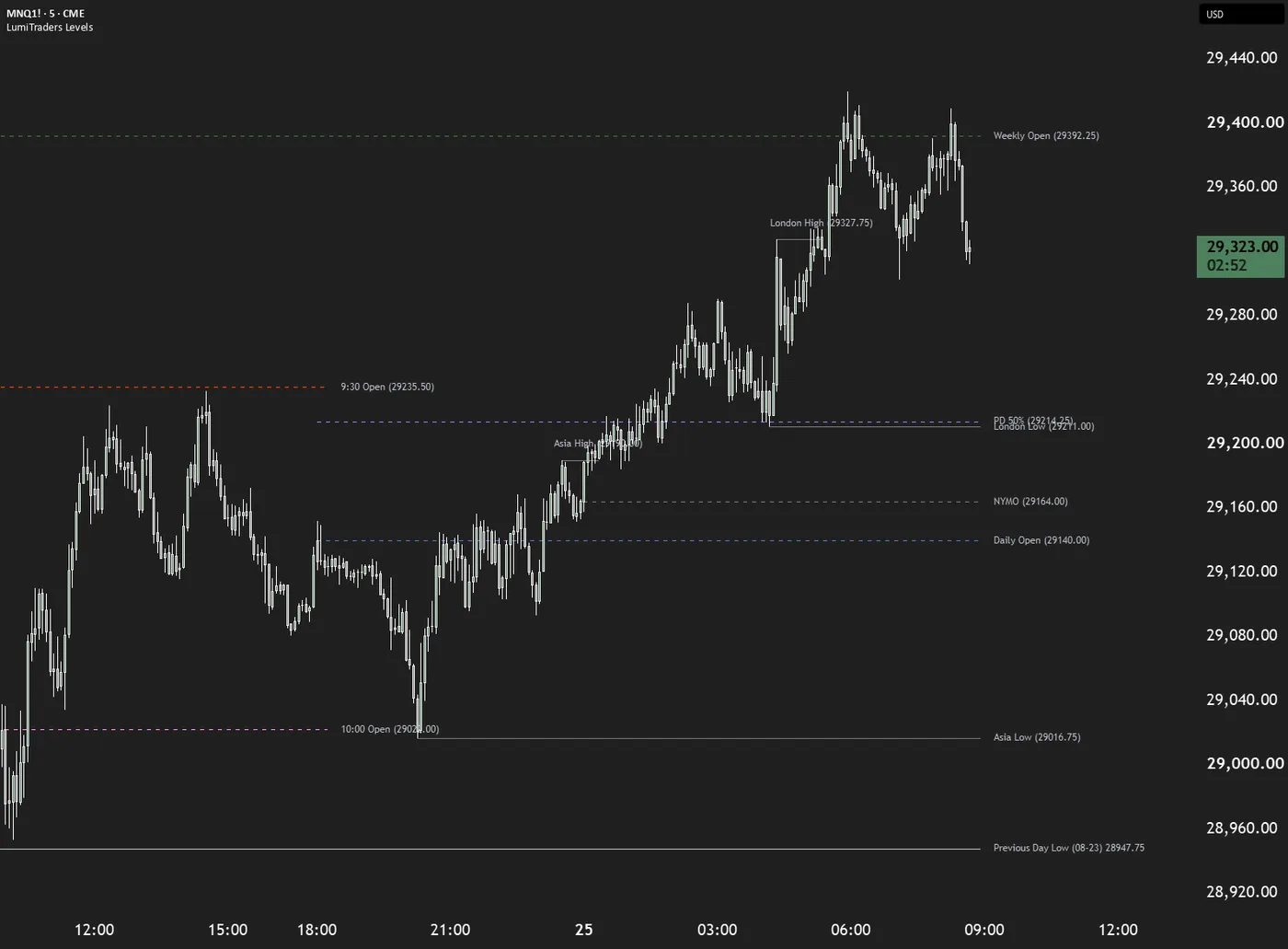
LumiTraders Key Levels on an intraday MNQ chart: weekly and daily opens, 9:30 and 10:00 opens, the midnight open, session highs and lows extended as pivots, and the previous-day low labeled at the price scale

Key Levels

Session ranges, opens & reference levels

3 indicators

One focused collection

Free access

No script subscription

Built by LumiTraders

The team behind the tools

Documented settings

Know what each tool draws

Find your chart companion

Three tools. Three perspectives.

Map the session, read higher-timeframe structure, or track the opening gap. Start with the context you want on your chart.

How to add a script

Side by side

Which indicator fits your workflow?

Each tool adds a different layer of chart context. The scripts are free; TradingView plan limits still apply.

Compare free LumiTraders TradingView indicators by purpose and chart requirements
IndicatorUse it toChart requirementsAccess
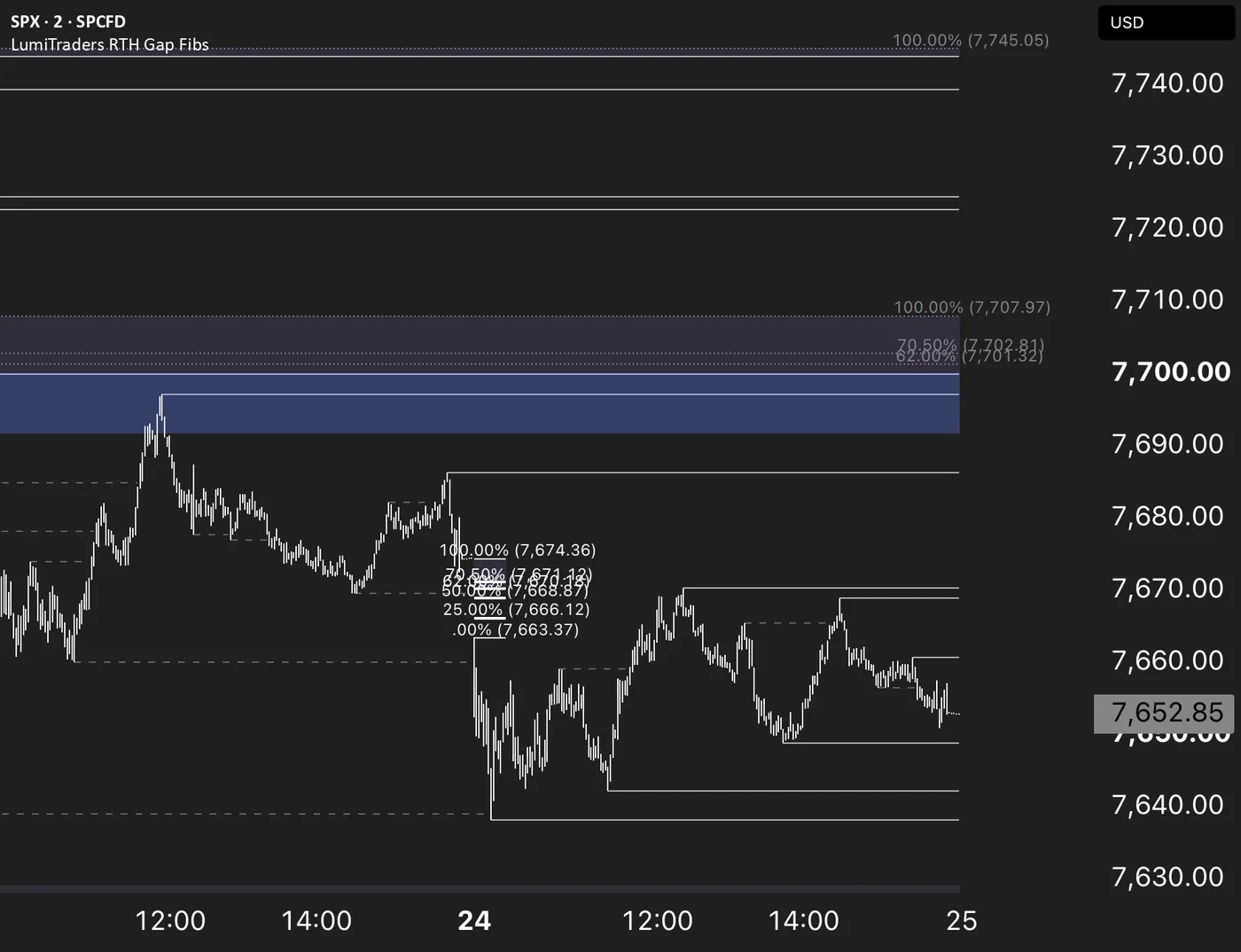
SPX RTH Gap with FibonacciYou want to map the gap from the prior regular-session close to the next open, then track which Fibonacci levels remain unfilled.Intraday charts; 4H or lowerFree
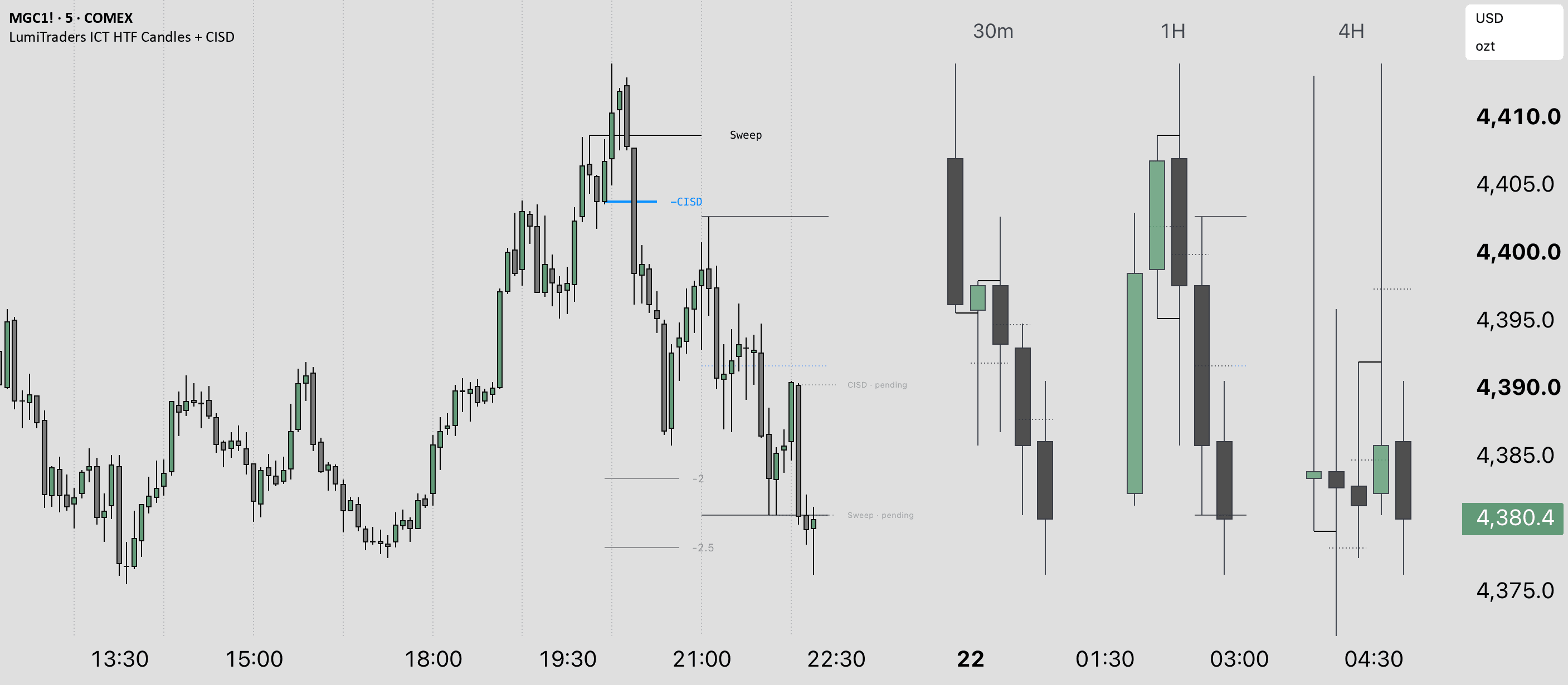
ICT HTF Candles + CISDYou want higher-timeframe candles beside the live chart, paired sweep and CISD reclaim levels, plus SMT and ICT projections.Even timeframe pairs, such as 5m / 1HFree
Key LevelsYou want session highs and lows, period opens, range midpoints and equal highs or lows marked automatically on an intraday chart.Intraday for sessions and opening linesFree

Scroll the table horizontally to compare chart requirements.

From here to your chart

Set up in three steps.

You’ll need to be signed in to TradingView. Start with the script you want, then add it from your chart’s Favorites.

View LumiTraders on TradingView (opens in a new tab)
  1. Save the script

    Sign in to TradingView, open the official script page and select Add to favorites.

  2. Open a compatible chart

    Choose your instrument and timeframe. Each indicator guide explains the chart requirements.

  3. Add it from Favorites

    Open Indicators › Favorites, select the LumiTraders script and adjust its settings to your session.

A few useful answers

Frequently asked questions

Are LumiTraders TradingView indicators free?

Yes. These are free, protected-source scripts on TradingView. You need a TradingView account to add them to a chart. TradingView's own plan limits, market-data access and drawing limits still apply.

Which indicator should I use?

Use Key Levels to map session ranges, opens and reference levels. Use ICT HTF Candles + CISD for higher-timeframe candles, sweep and reclaim levels, SMT and ICT projections. Use RTH Gap Fibs to map Fibonacci levels across regular-session gaps and track their unfilled portions.

How do I add an indicator to TradingView?

Sign in to TradingView, open the indicator's script page and select Add to favorites. Then open a compatible chart and choose the script under Indicators › Favorites. Each guide lists the exact TradingView name and any timeframe requirements.

Can I use all three indicators together?

The scripts draw different reference points, so you can combine them on a compatible chart if your TradingView plan has enough indicator slots. Check each script's timeframe requirements and reduce the enabled drawings if the chart becomes crowded.

Do these indicators generate buy or sell signals?

No. They draw reference levels and chart structure. Key Levels maps sessions and anchors, ICT HTF Candles + CISD shows sweeps and reclaim levels, and RTH Gap Fibs tracks session gaps. These drawings do not place orders or promise trading outcomes.

Where can I find the source and release notes?

Each guide links to the original LumiTraders script publication on TradingView and includes its documented release history. The scripts are protected source, so their Pine code is hidden. Open-source foundations are credited on the relevant indicator pages.

Put the context to work

The tool draws it. Learn to read it.

Explore the concepts behind the levels, then build a chart setup you understand.

Published by LumiTraders, the education brand of the Funded.Now team. Each guide links to the original TradingView script, its settings and release history. Educational tools, not financial advice. TradingView is a trademark of TradingView, Inc.

Latest script update